
Help
Return
To use this subscription system, please make sure you are on the subscription form page. On this form please fill out the email field with your valid email address (you will need to be able to access it in order to validate your subscription).
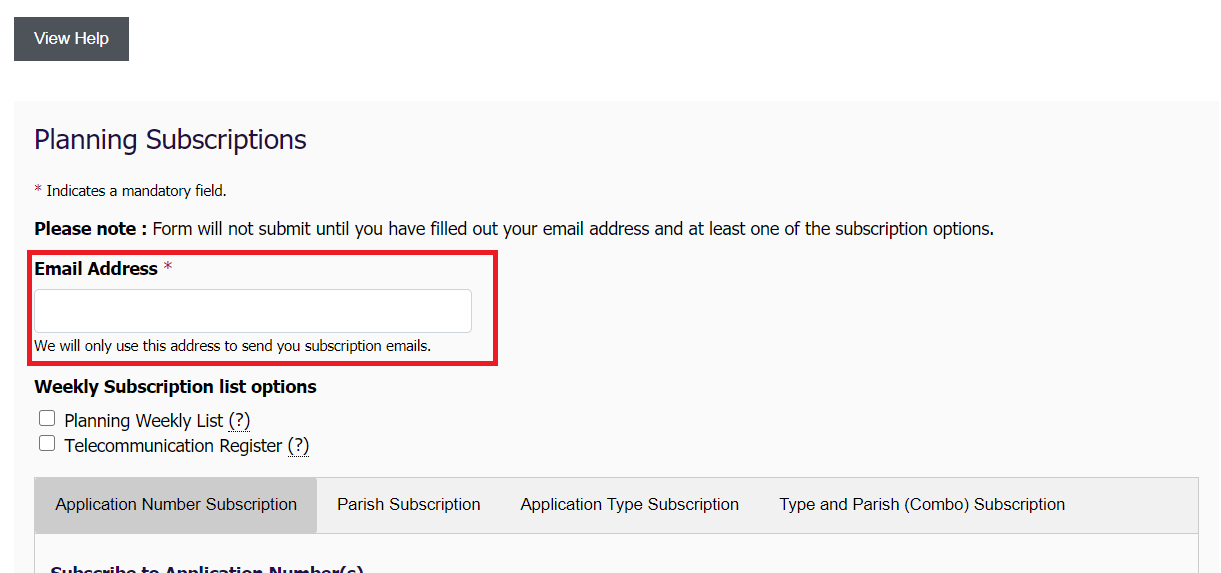
Subscriptions are delivered via Email, so storing and using your email address is necessary for this service to function.
In addition to entering your email address, you will need to select at least one option on the form in order to submit it. On the form, you can specify the following choices:
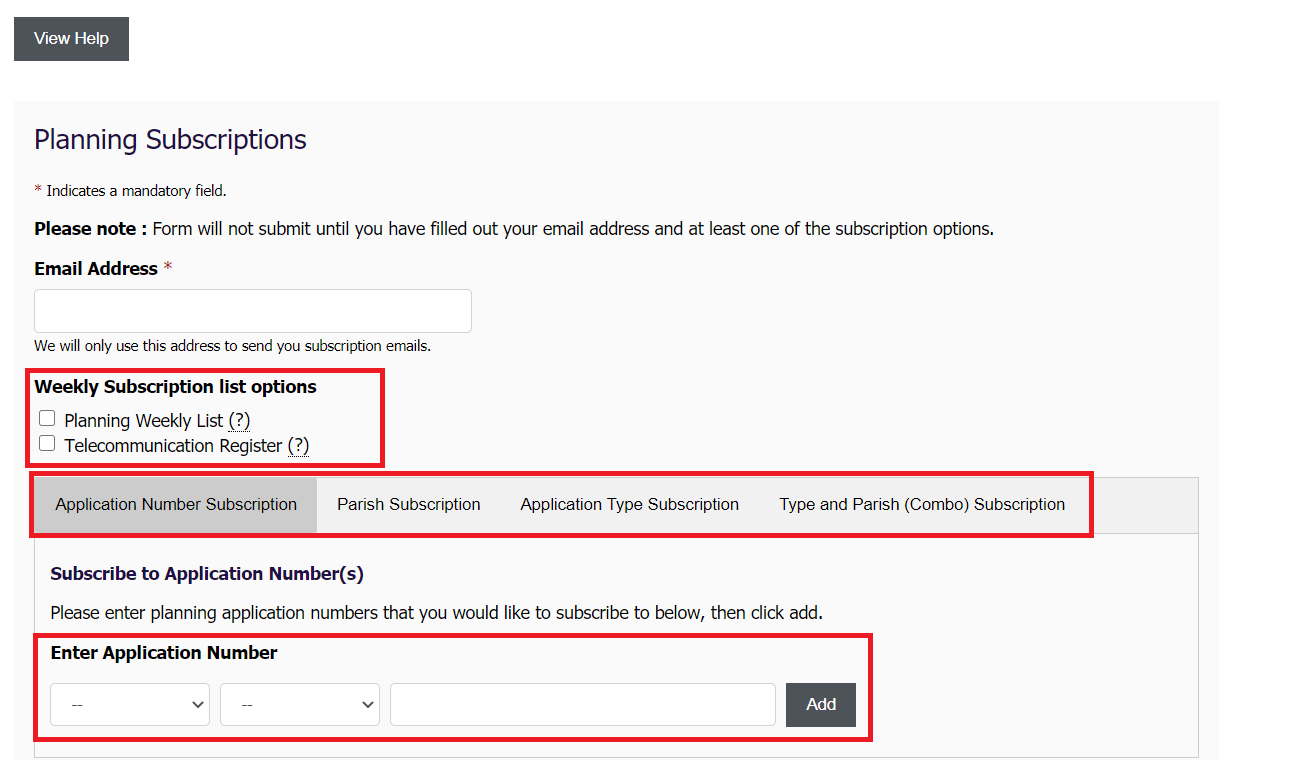
- Weekly List Planning subscription
- Weekly List Telecommunication planning subscription
- Application Number specific subscriptions
- Parish specific subscriptions
- Application Type specific subscriptions
- Combination specific subscriptions
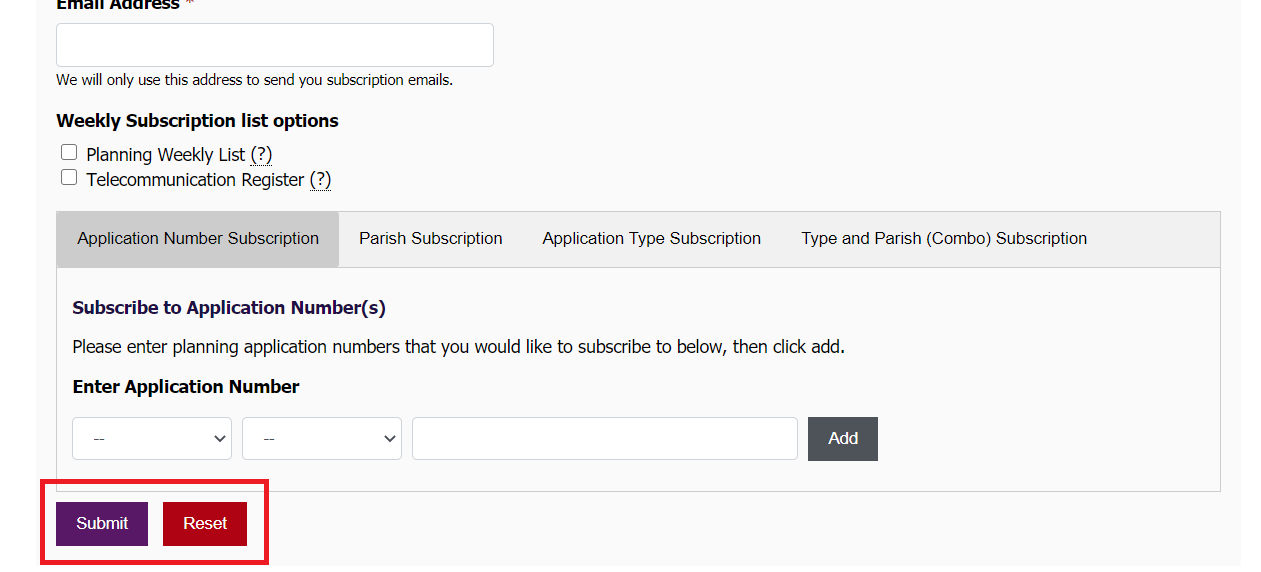
Once you have specified the items you would like to receive email subscriptions about, please click submit.
What happens next?
Once you click submit, you will be taken to a page which shows you a summary of what you have requested to subscibe to. Any invalid application numbers are removed at this stage and highlighted in red.
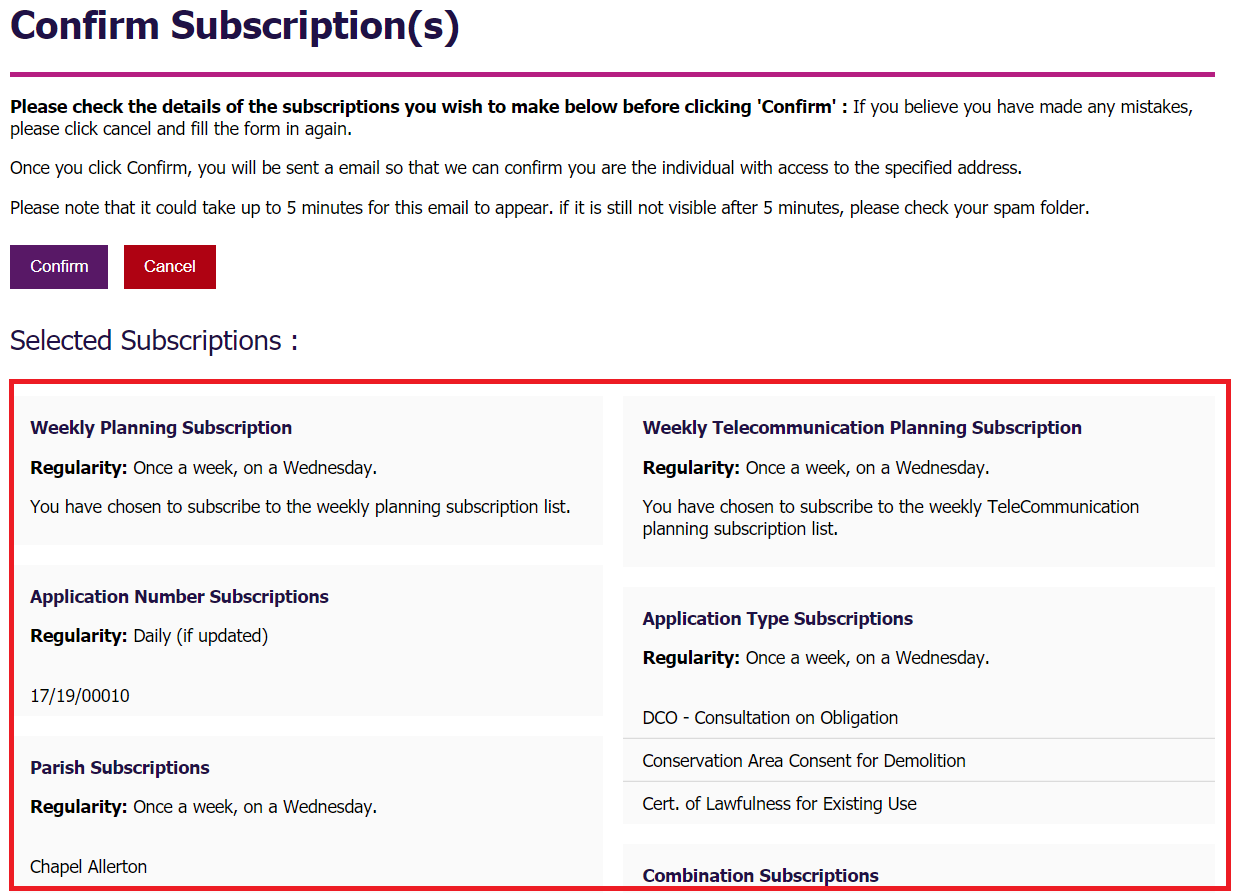
Once you have checked and are sure that you are subscribing to the correct items, click confirm.
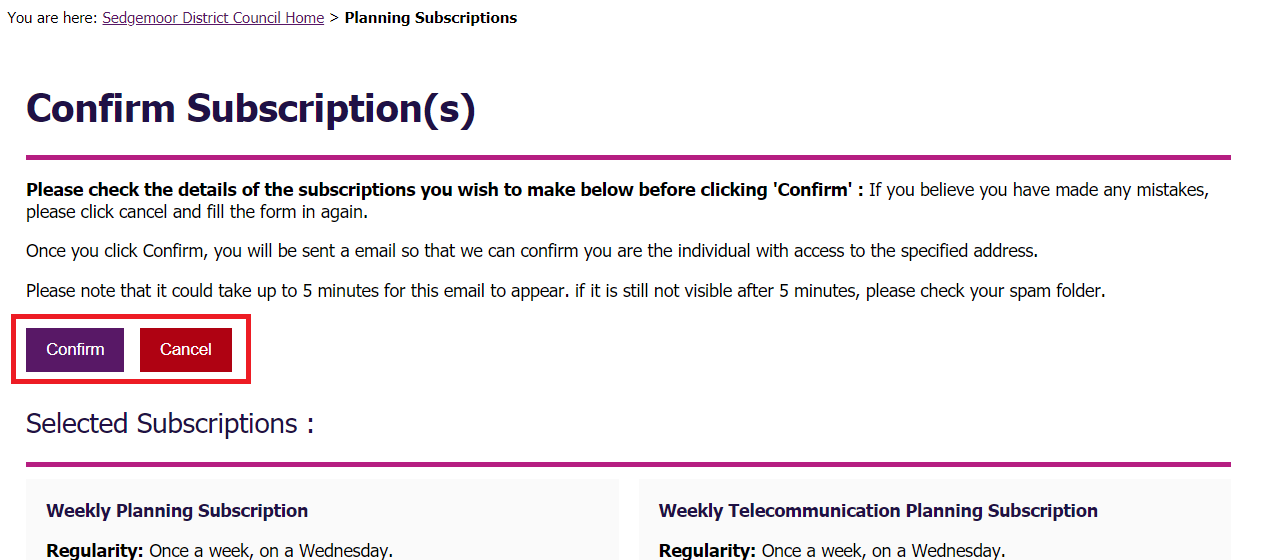
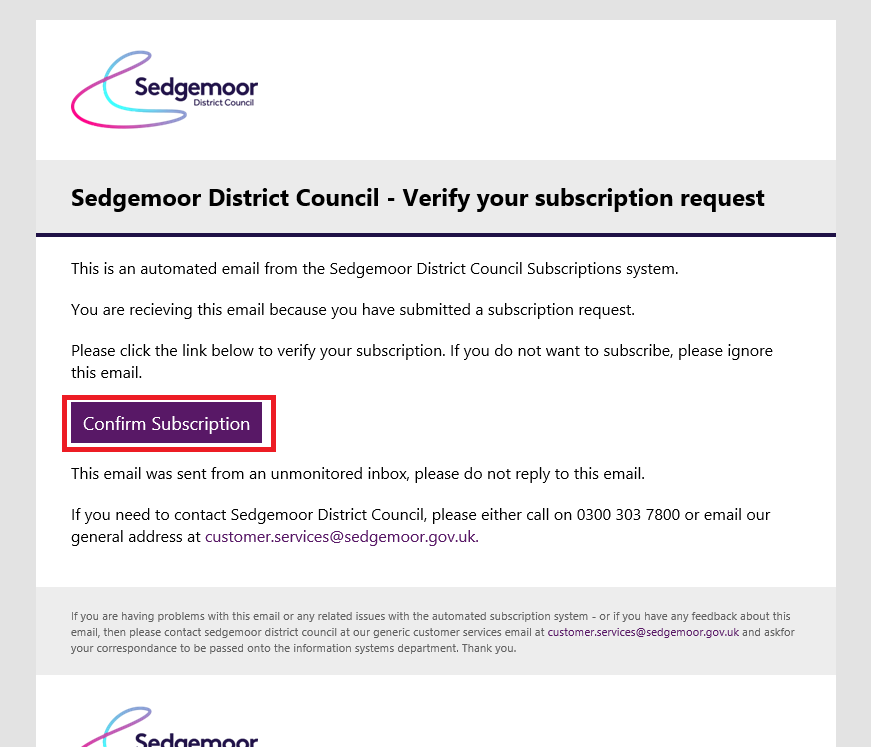
Within 5 minutes, you should receive a confirmation email in your inbox. If you do not receive the email, please ensure you have entered the correct email address. Please also check your spam folder, if you have taken these two steps and are still having issues, please contact Planning North.
Please click the "Confirm subscription" link in this email. You will be taken to a page which shows you a summary of what you have subscribed to. Items that we could not subscribe you to (because you are already subscribed) are highlighted in red.
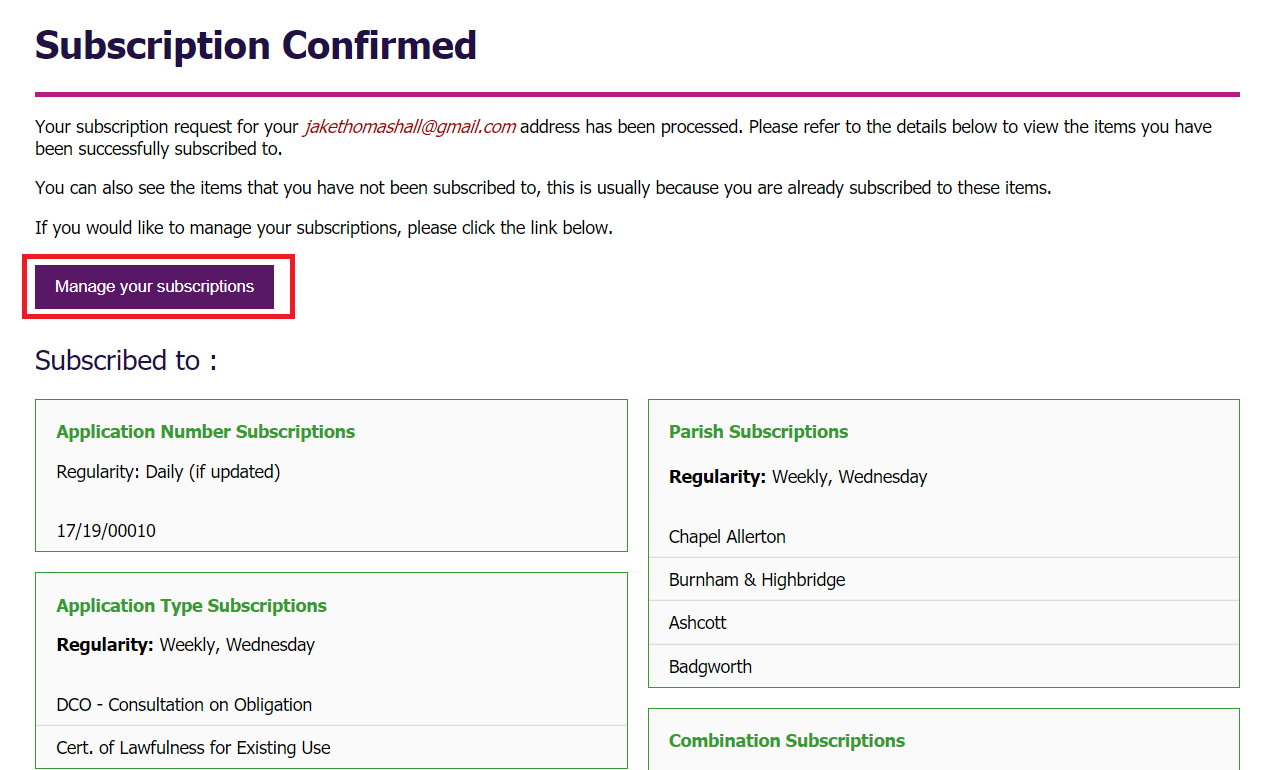
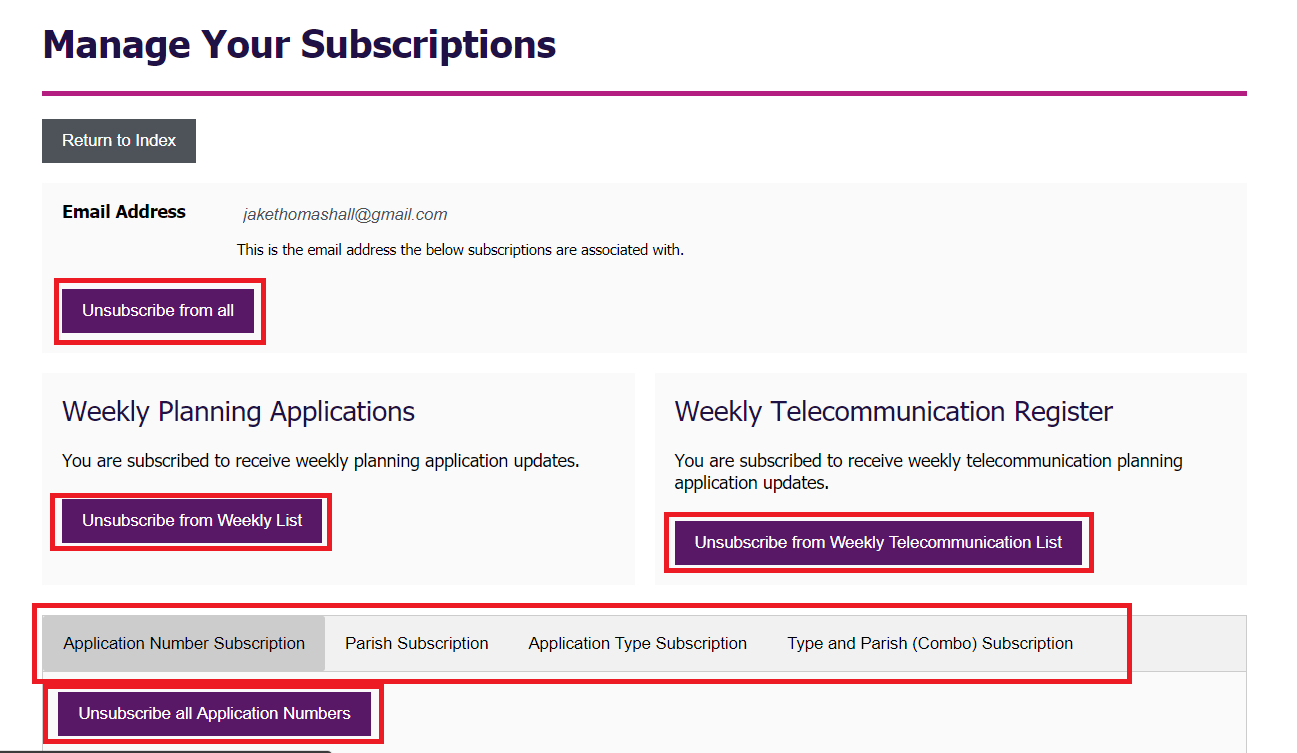
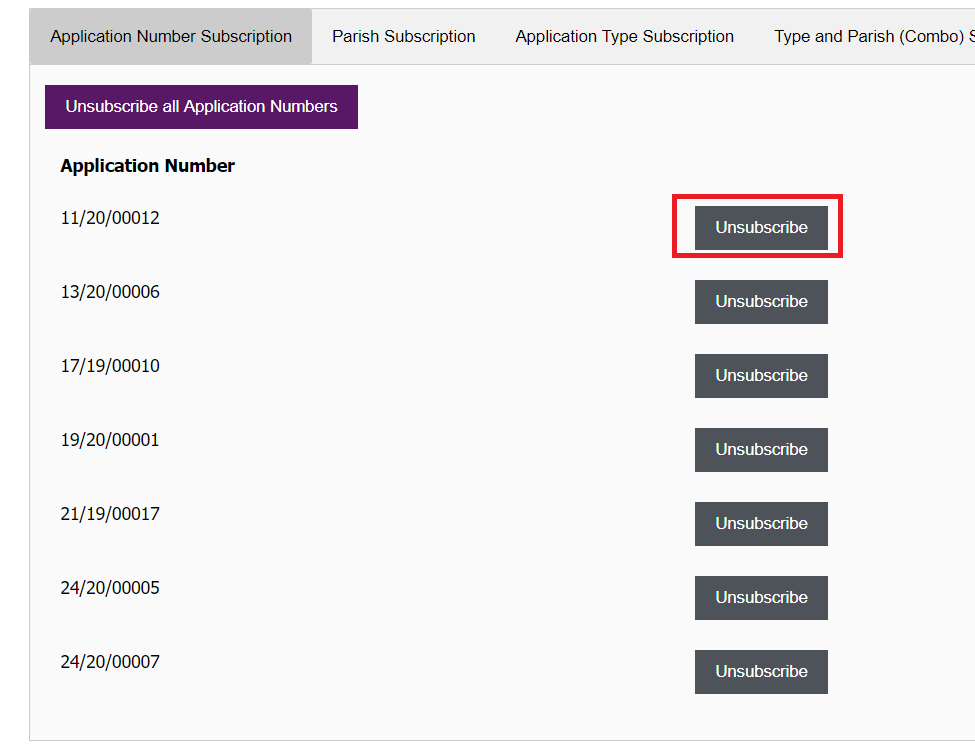
From the subscription summary page, you can follow the link to manage your subscriptions. The Manage your subscriptions page allows you to unsubscribe from items, and get a general summary of what you are subscribed to. Any subscription emails you receive will contain a link which allows you to access the manage your subscription page.
Please note
For your own security, we advise that you do not forward your subscription emails on to others. This is because the system is designed so that the manage subscriptions link can be opened by anyone, so long as they have the subscription email with the embedded link. If someone with malicious intent got hold of your subscription emails, they could choose to unsubscribe you from any or all of your subscriptions
For this reason, we recommend that you keep subscription emails private to yourself, and request that others subscribe using their own email address.
Return